Ads, social pages, scheduled posts, and automated publishing

Manage ads, social posts, and campaign growth from one workspace.

AdGenie helps teams connect Google Ads, Meta ad accounts, Facebook Pages, and Instagram Business Accounts, then launch campaigns, schedule social posts, automate eligible publishing, review dashboards, and turn AI reports into better follow-up campaigns.

Connect

Google Ads and Meta Ads

Launch

Campaigns and social posts

Schedule

Automated Facebook and Instagram posting

Campaign and social command center

Built for the flows your team already uses.

Live workflow

Account and page connection

Connect the right Google Ads account, Meta account, Facebook Page, and Instagram Business Account.

Campaign and post planning

Start from prefilled targeting suggestions, creative details, and scheduled social posts.

Automated publishing

Publish eligible Instagram and Facebook posts at scheduled times while keeping Stories and Google Ads manual.

Google Ads

Display campaigns, metrics dashboards, AI analysis, optimized campaign creation.

Meta Ads

Facebook and Instagram campaigns, page connection, social publishing, AI reports.

How AdGenie works

Your whole marketing — done for you, in 3 easy steps.

No agency. No design skills. No juggling five different tools. You fill one short form — AdGenie plans your posts, builds your Facebook, Instagram & Google campaigns, and even creates the images for you.

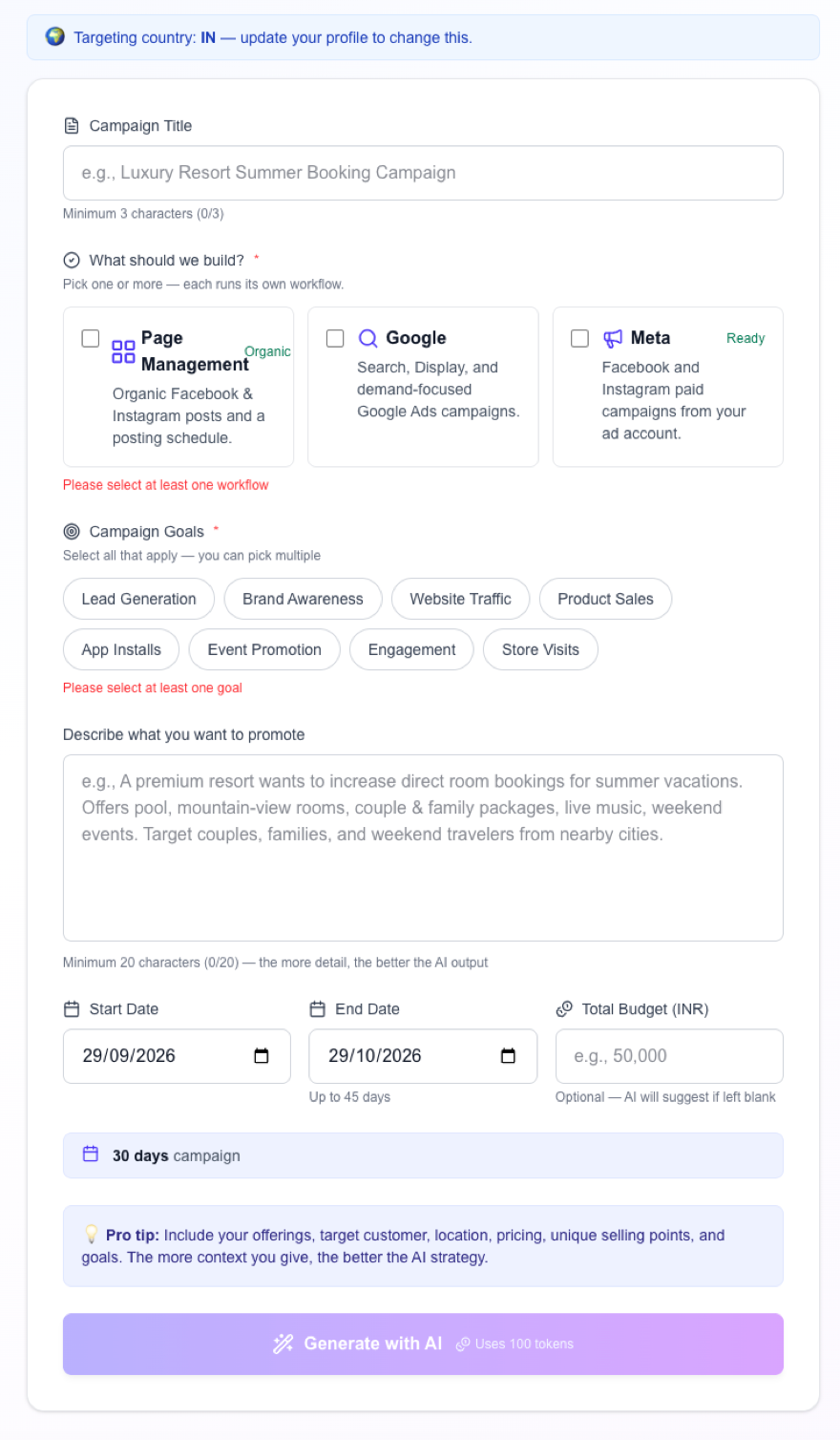
AdGenie campaign form
1Step 1

Fill one simple form

Pick where you want to grow — Facebook & Instagram pages, or Google & Meta ads.

Choose your goal — more leads, sales, followers, store visits. Then describe your business in a line or two.

That's the only thing you do. No settings, no targeting spreadsheets, no guesswork.

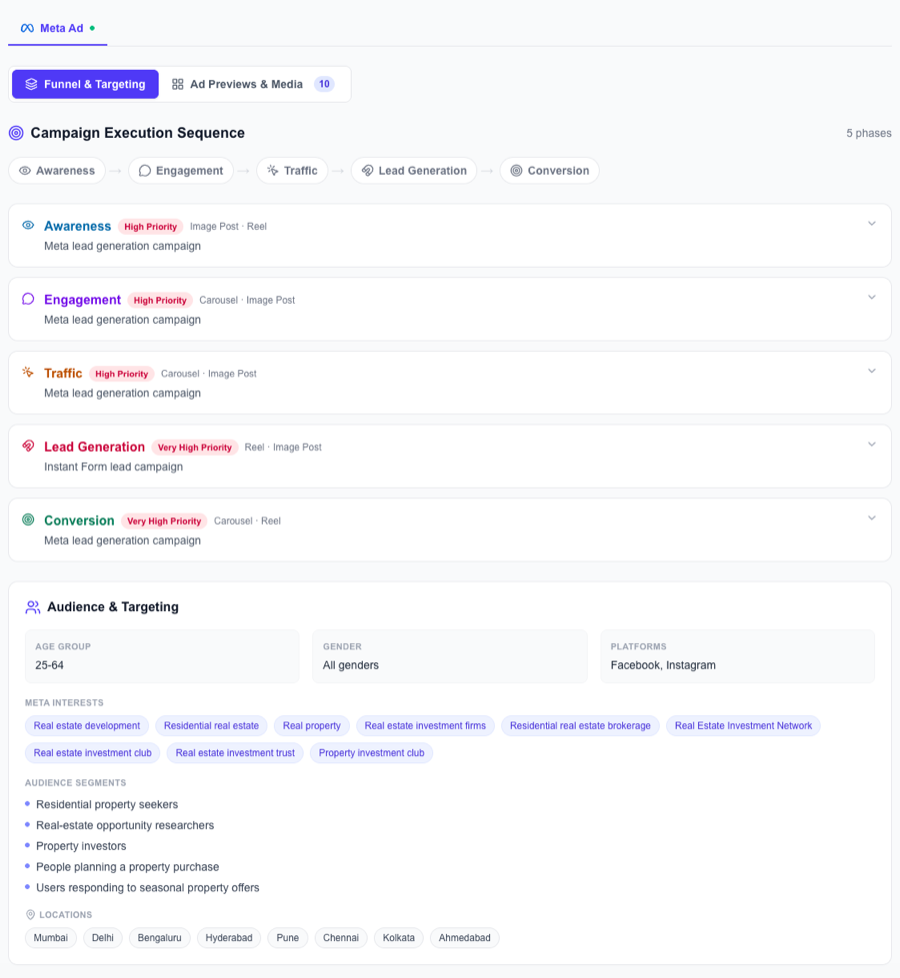
AdGenie builds your full Meta & Google ad campaign with funnel and audience targeting
2Step 2

It builds your whole campaign — not just posts

From your one description, AdGenie plans a complete ad campaign for Meta and Google — the strategy, exactly who to target, and every creative.

You can see the full plan — the funnel, the audience, the ad previews — before anything goes live.

  • Marketing funnel
    5 stages, planned for you
  • Target audience
    age, interests & cities
  • Ad creatives & previews
    images, reels, carousels
  • A month of page posts
    Facebook & Instagram
Works for both Meta & Google

One description → a full customer journey

AdGenie doesn't just run a single ad. It builds every stage of a proven marketing funnel — from people first discovering you, all the way to becoming customers.

Awareness
Engagement
Traffic
Lead Gen
Conversion

And it doesn't stop at creating — publish, track & improve.

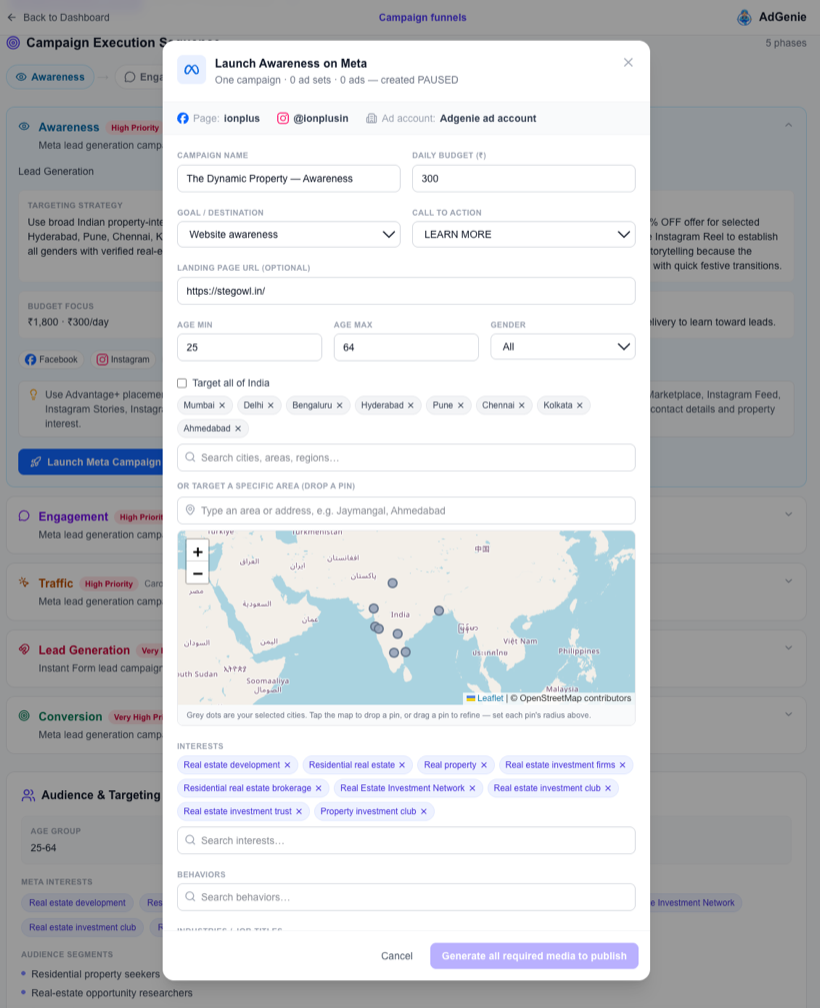
Go live in one click
Publish

Go live in one click

Review the plan, then press Publish. Your ads go live on Meta & Google — no ad-manager maze.

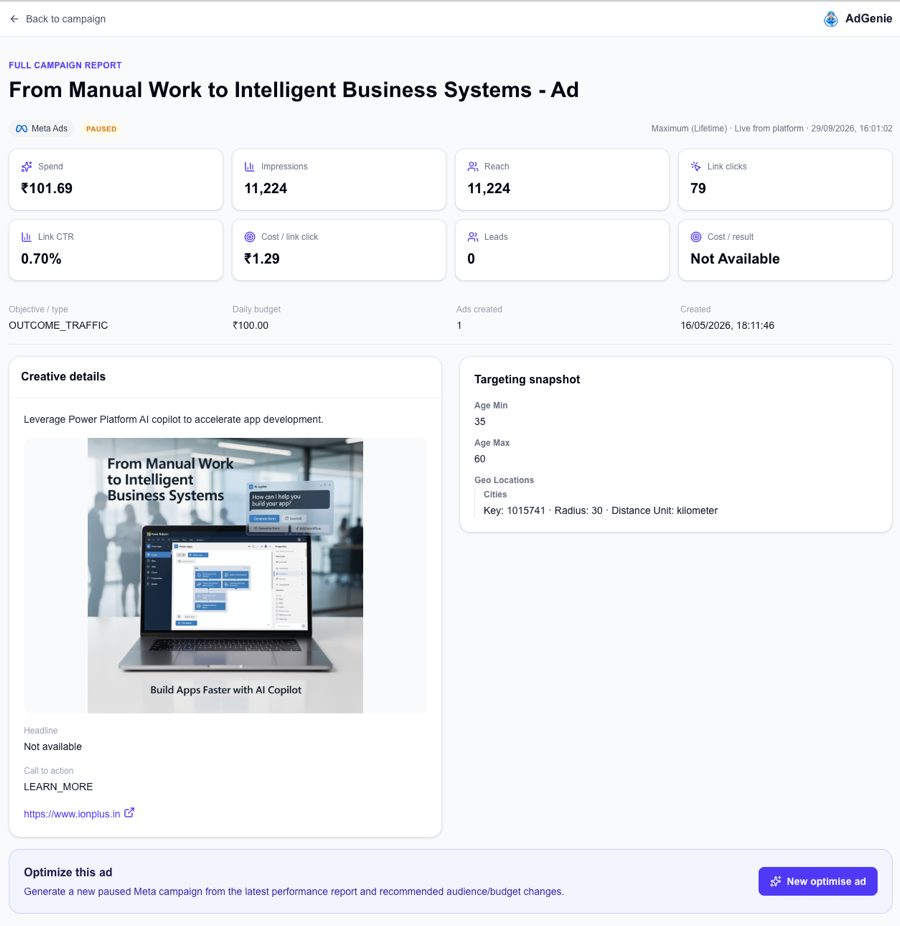
See real performance
Track

See real performance

Spend, reach, clicks, CTR and leads — in plain numbers you actually understand.

Optimise

Improve automatically

AdGenie reads the results and builds a smarter follow-up campaign for you.

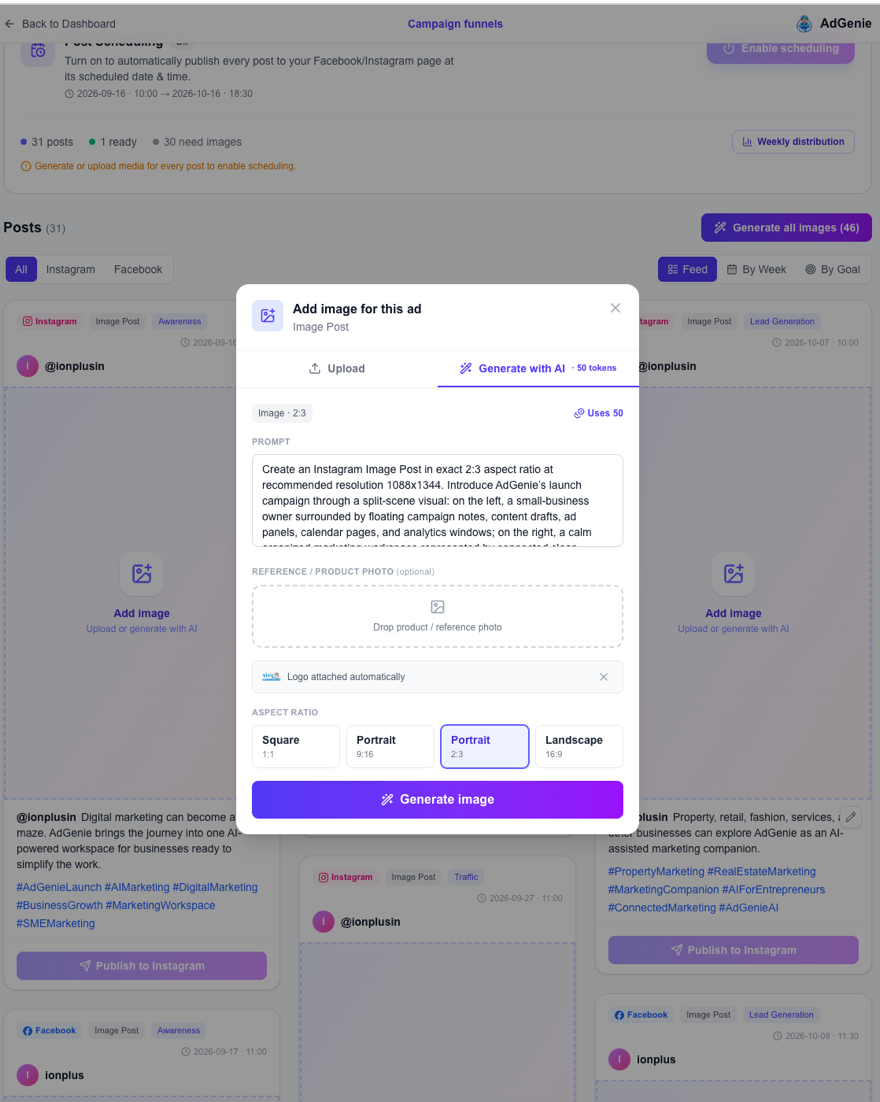
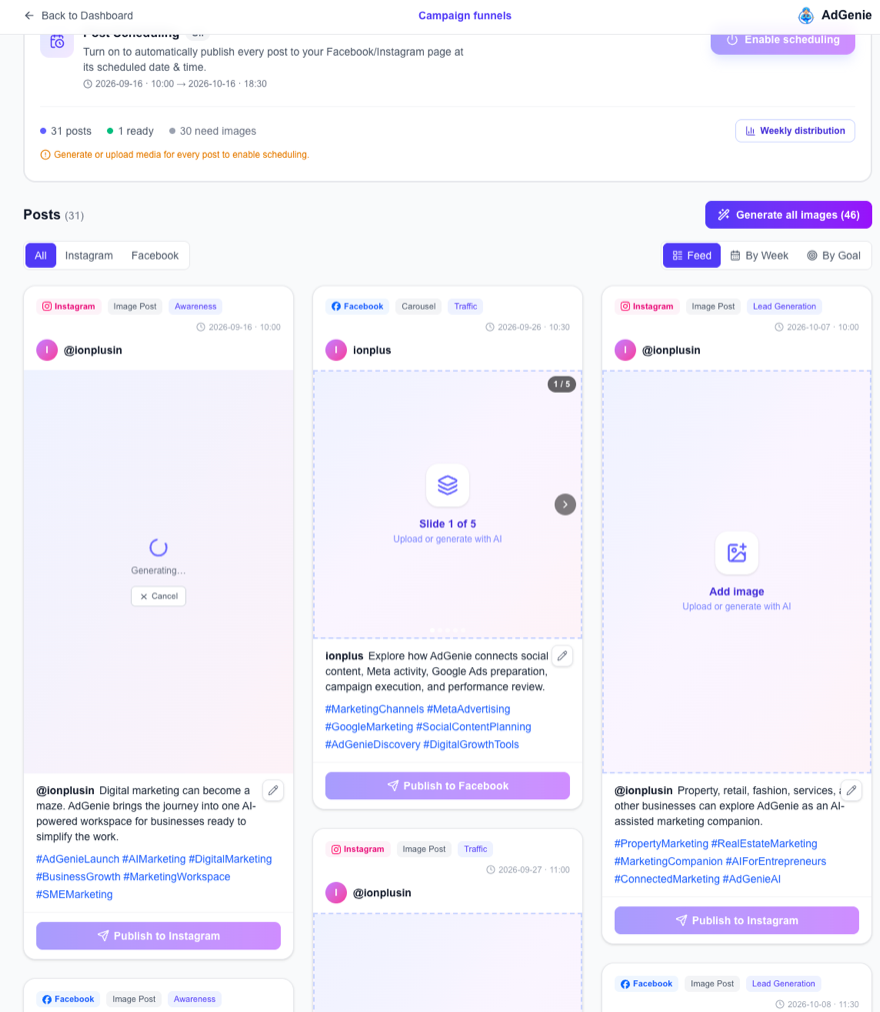
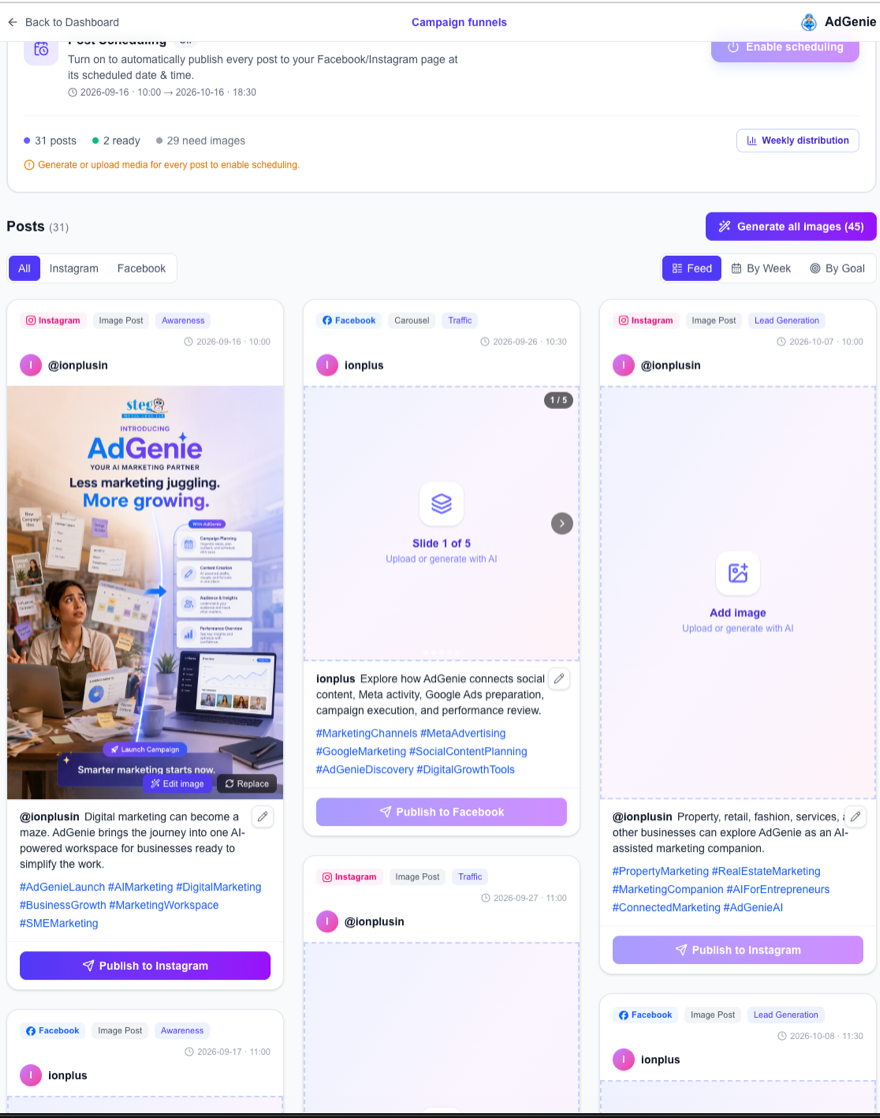
Prompt ready — written for youGenerating your image…Done ✨ Ready to publish
Prompt ready — written for you
3Step 3

Create images & videos with one click

You never have to think “what image should I even make?” — the prompt is already written for you, matched to each post.

Just press Generate, and watch your post image appear. Don't like it? Regenerate or replace in one tap. Videos work the same way.

Zero design skills needed.

Ready to see it build your first campaign?

Create Your Workspace

Supported Platforms

Ads and social publishing, one focused workflow.

AdGenie brings Google Ads, Meta Ads, Facebook Page management, Instagram publishing, scheduled posts, reporting, and optimization flows into one practical workspace.

Display campaign workflow

Google Ads

Connect your Google Ads account, launch display campaigns, track performance metrics, generate AI analysis, and create optimized follow-up campaigns.

Google account connection and account selection

Display campaign launch with AI-prefilled targeting inputs

Performance dashboards with spend, clicks, CTR, and conversions

AI analysis plus optimized campaign creation from recommendations

Facebook and Instagram ads

Meta Ads

Connect your Facebook Page and Instagram Business Account, publish social posts, launch campaigns, review metrics and AI reports, refine targeting and creative, and build optimized campaigns from insights.

Facebook Page and Instagram Business Account connection flow

Social post publishing plus scheduled Instagram and Facebook posts

Campaign dashboards with live status controls and performance metrics

AI performance reports with audience and budget recommendations

Product Features

Real features pulled from the current app, not generic marketing copy.

Platform Connection and Setup

Start with guided account connection for Google Ads and Meta so the app is wired to the right ad account before you launch anything.

AI-Prefilled Targeting

Use audience suggestions for cities, age, gender, interests, behaviors, keywords, and budget inputs instead of building every campaign from scratch.

Social Page Management

Manage connected Facebook Pages and Instagram Business Accounts so social publishing and Meta ads stay tied to the right business presence.

Post Scheduling and Auto-Publishing

Schedule eligible Instagram and Facebook posts, then let auto-schedule publish them at their planned dates and times. Stories and Google Ads posts stay manual.

AI Suite Campaign Workspace

Review launched campaign status, budgets, and stored performance metrics in the AI Suite workspace.

Meta Performance Reports

Review Meta campaign performance reports and use their recommendations to create optimized follow-up campaigns.

Optimized Follow-Up Campaigns

Turn analysis into action by creating new optimized campaigns from the recommendations already generated inside the product.

How It Works

A focused workflow from connection to scheduled publishing.

01

Connect Ads and Social Pages

Link Google Ads, Meta ad accounts, Facebook Pages, and Instagram Business Accounts before launch.

02

Create Campaigns and Social Posts

Build campaigns with AI-assisted targeting and prepare Facebook or Instagram posts from the same workspace.

03

Schedule and Auto-Publish

Plan post dates, then auto-publish eligible Instagram and Facebook posts when they are ready.

04

Monitor, Report, and Improve

Track ad metrics, generate AI reports, and create better follow-up campaigns from recommendations.

Ready to Start

Bring ads, social pages, and scheduled posts into one cleaner workflow.

Create your workspace to connect accounts, manage Facebook and Instagram publishing, schedule eligible posts, and turn AI reporting into more confident campaign next steps.